Managing apps, digital media, and account subscriptions across multiple devices often leads to fragmented libraries and disjointed installation steps. Google Play Store resolves this by operating as a centralized digital marketplace where you can browse, purchase, and organize apps, games, movies, TV shows, and books under a single account. A key capability is remote installation, which allows you to locate software from one screen and direct it to install on connected hardware such as tablets, TVs, smartwatches, Chromebooks, cars, or XR devices without repeating searches.
Cross-Device Library and Account Controls
The app functions as a unified repository for everything associated with your profile. Within the library interface, you can review past purchases, trigger updates, and configure download preferences. Because activity ties directly to your profile, switching between hardware maintains access to your entitlements and installation history. You can also view recent activity to monitor what has been added or updated across different connected screens.
Billing, Subscriptions, and Reward Systems
Financial management tools are integrated directly alongside software listings. The app provides sections to update payment details, monitor active recurring subscriptions, set billing reminders, and redeem gift cards or promotional codes. For qualifying transactions, built-in submission tools let you request refunds and track their status. The platform also incorporates reward and bundle options, including Play Points to accumulate credit through eligible spending, and Play Pass, which bundles a curated selection of apps and games under an ongoing plan.
Discovery Feeds and Family Tools
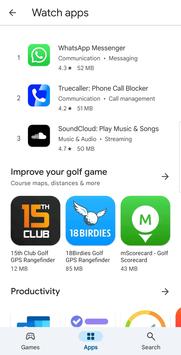
Locating specific content is structured around curated collections, such as Editors’ Choice sections, Innovation Corner highlights, and banners showcasing live in-app events. When setting up access for households, the store includes a dedicated Kids section alongside content ratings that feature a Parent Guide. Account holders can also configure Family sharing options, allowing eligible paid content and purchases to be shared across household members without duplicate buying.




 Google Authenticator